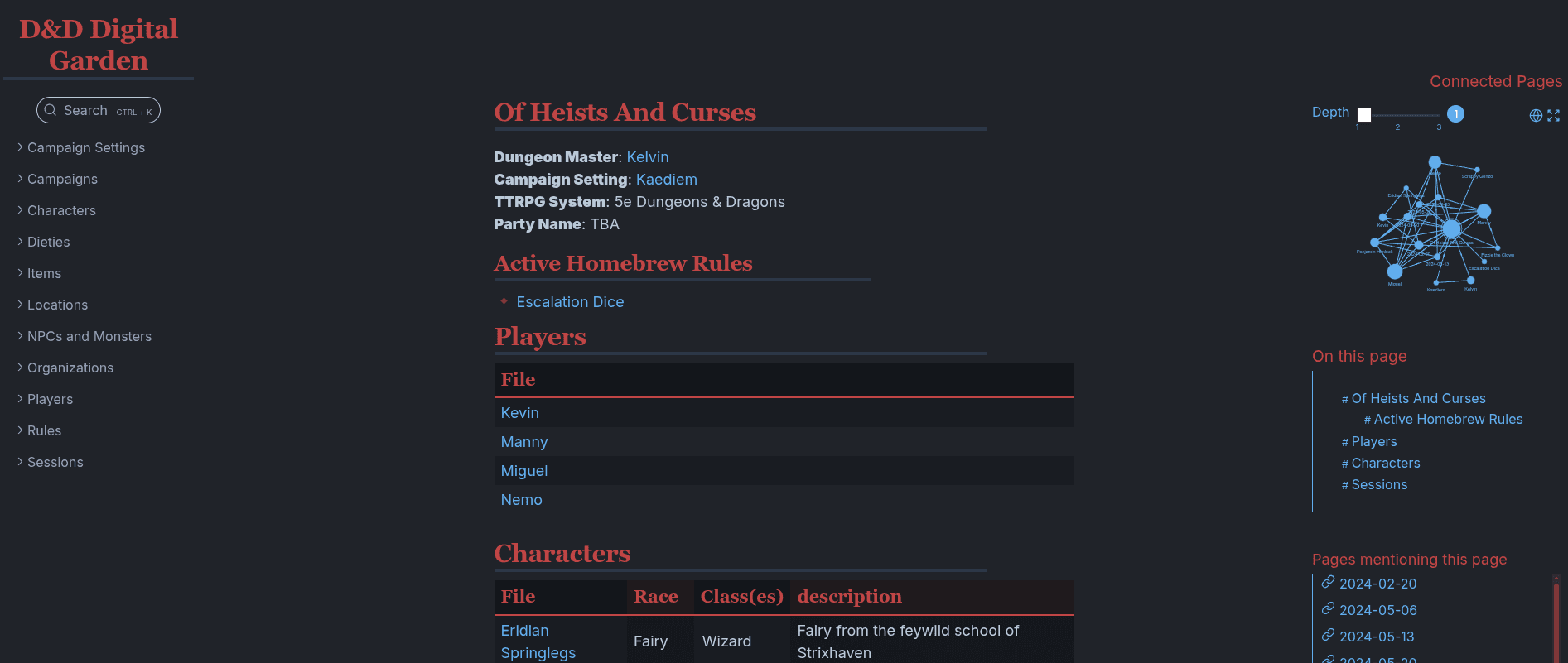
Recently I started running a new Dungeons & Dragons campaign as the Dungeon Master. In my usual hyperfocus fashion, I couldn't just jot notes in a plain text file — I had to build something. So I ended up creating my own wiki for worldbuilding and lore, a place my players can read about the world and I can keep everything organized.
Why Obsidian
The first thing I reached for was Obsidian. The killer feature for a DnD wiki is the backlinks system — I can write a note about a city, reference an NPC, link to a faction, and suddenly the whole world is a graph of interconnected ideas. Everything just clicks together in a way that a flat file structure never could.
Since Obsidian stores notes as plain markdown files on disk, managing it with git was a natural fit, so I made a repository for it at kelvin-mai/obsidian-dnd.
On top of that, there's a dedicated DnD theme for Obsidian that makes the note-taking experience feel genuinely thematic. It's part of the ITS Theme community expansions — if you're running a campaign, it's worth the five minutes to set up.
Choosing the Digital Garden Plugin Over Next.js
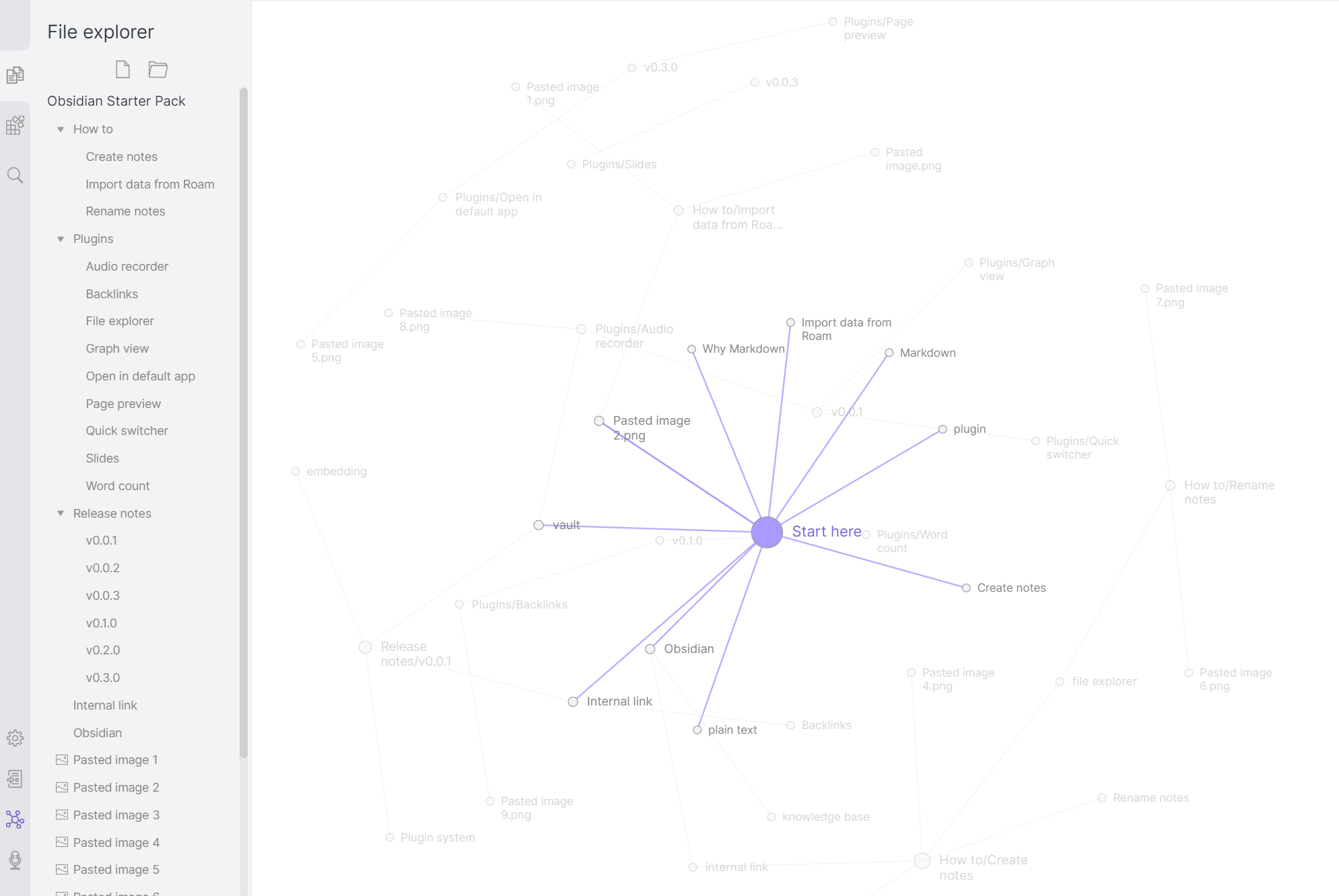
My first instinct for the public-facing site was to build something in Next.js with MDX — it's what I know, and I figured I could just render the markdown from the vault. But the templates I found were missing the force-directed graph view that makes Obsidian's note relationships so satisfying to navigate. In hindsight that's a pretty petty reason to reject a familiar stack, but it sent me looking at alternatives.
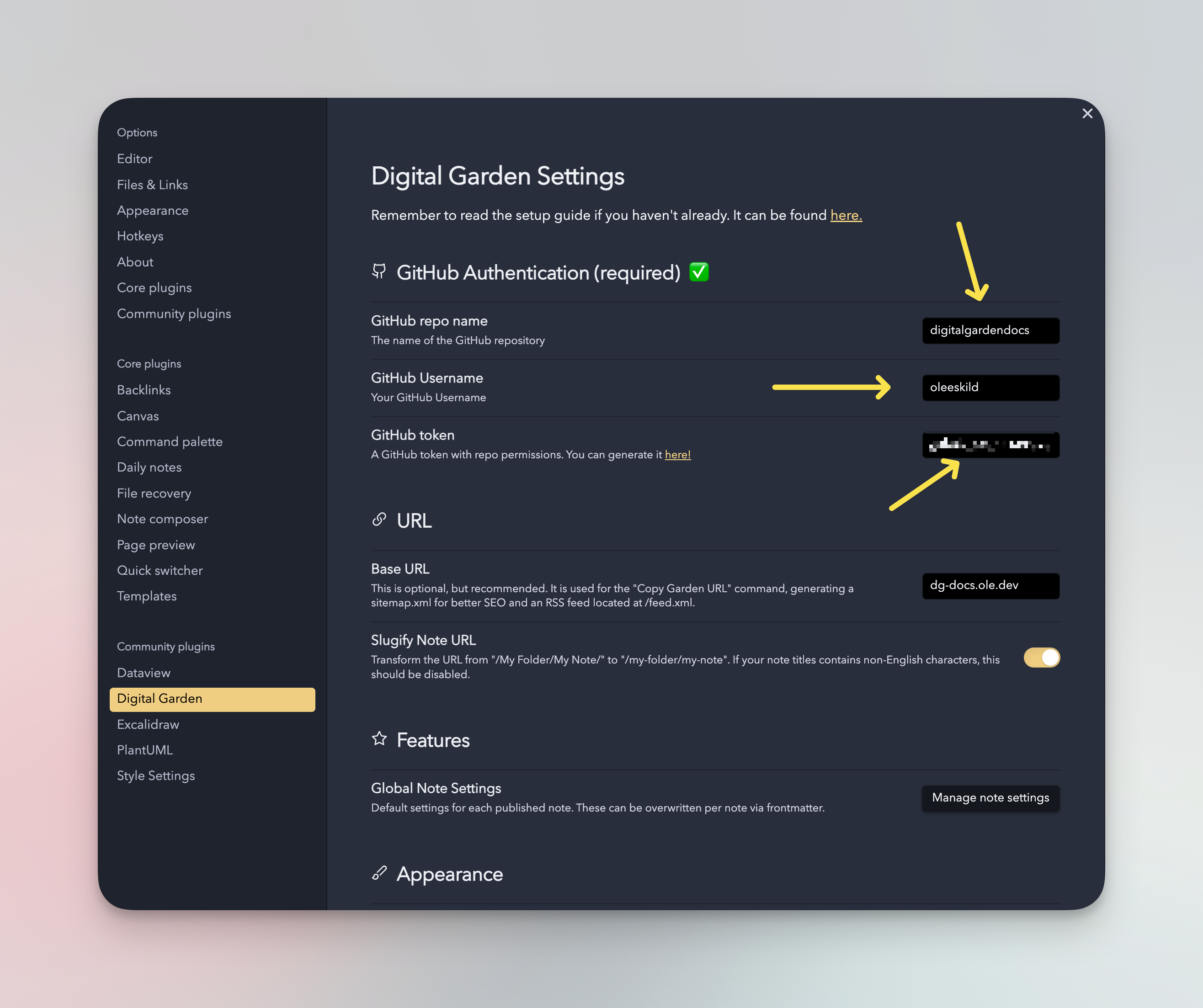
I eventually landed on the Obsidian Digital Garden plugin. It's an Obsidian community plugin that syncs your notes to a self-hosted 11ty site via GitHub. You mark individual notes with a dg-publish: true frontmatter flag, and the plugin handles pushing them to your repo whenever you save. The generated site includes the graph view out of the box.
Syncing Themes Between Obsidian and the Digital Garden
One thing I cared about was making the note-taking experience and the published site feel visually consistent. The digital garden template supports custom CSS, so I pulled the relevant DnD theme variables from my Obsidian CSS snippets and dropped them into the digital garden's custom stylesheet.
The Digital Garden plugin uses a src/site/styles/custom-style.scss file for overrides. To match the Obsidian theme, I copied the font declarations and color variables from the theme's CSS snippet into that file:
// src/site/styles/custom-style.scss@import url('https://fonts.googleapis.com/css2?family=Cinzel:wght@400;700&display=swap');:root {--font-text: 'Cinzel', serif;--color-accent: #8b0000;--background-primary: #1a1a2e;}
The exact variables depend on which theme you're using, but the general idea is to inspect the Obsidian CSS snippet, find the custom properties, and mirror them in the SCSS file. After pushing the changes through the plugin, the published site matched my local vault.
Deploying to Vercel and Setting Up a Subdomain
Since the digital garden outputs a static 11ty site, deploying it to Vercel is straightforward — connect the GitHub repo, set the build command to npm run build, and the output directory to dist.
The more interesting part was routing it through a subdomain of my main domain. I wanted it accessible at dnd.kelvinmai.io instead of a generic Vercel URL.
In the Vercel project settings, go to Settings → Domains and add your subdomain (e.g. dnd.kelvinmai.io). Vercel will show you a CNAME record to add.
In your DNS provider (I use Google Domains), add a CNAME record pointing your subdomain to Vercel's target:
| Type | Name | Target |
|---|---|---|
CNAME | dnd | cname.vercel-dns.com |
Once DNS propagates (usually a few minutes on Google Domains with proxying disabled), Vercel will provision an SSL certificate automatically and the subdomain goes live.
The DnD digital garden is live at dnd.kelvinmai.io if you want to see how it turned out. It's a living document — I update it after each session and my players use it to catch up on lore between games.
Takeaway
The Obsidian Digital Garden plugin is a genuinely great way to publish a subset of your vault without rebuilding everything from scratch. The git-based workflow fits naturally into how I already manage the vault, and getting it onto a custom Vercel subdomain took maybe 15 minutes. If you're a DM looking for a way to share worldbuilding with your table, this stack is worth trying.