I originally got into programming because I wanted to make games. That dream got sidetracked by web development — which I ended up loving — but I've always kept one eye on the game dev world. So when I had some free time recently, I decided to revisit that original dream and picked up Godot 4.
Godot is primarily scripted with GDScript, its own Python-like language. I've never been a fan of Python — the whitespace-dependent syntax has always rubbed me the wrong way — so GDScript was immediately off-putting. Godot also supports C#, and since I already knew it, the choice was easy. So I took the Godot C# Action Adventure course on gamedev.tv and built a dungeon RPG from start to finish.
What I Built
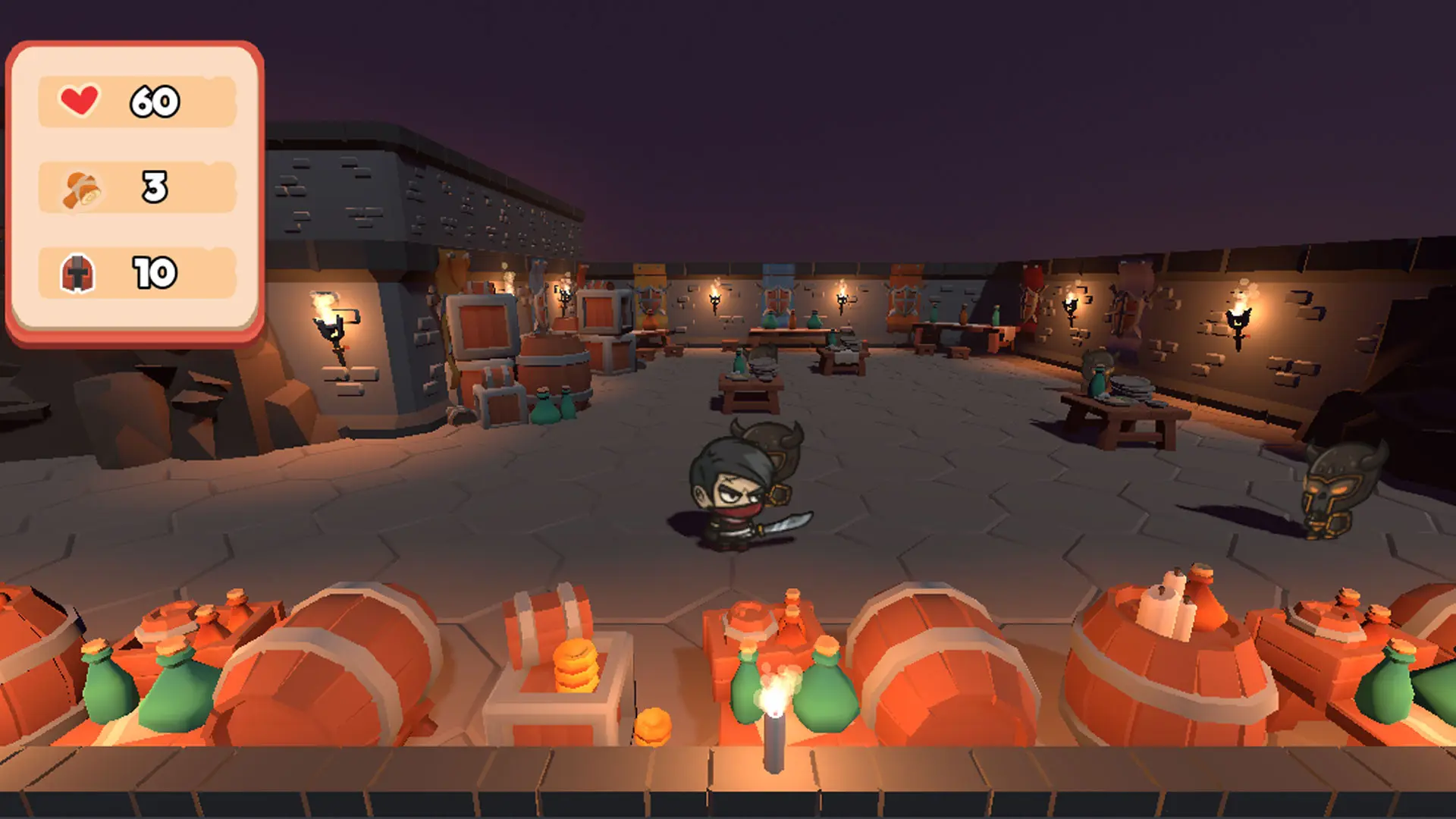
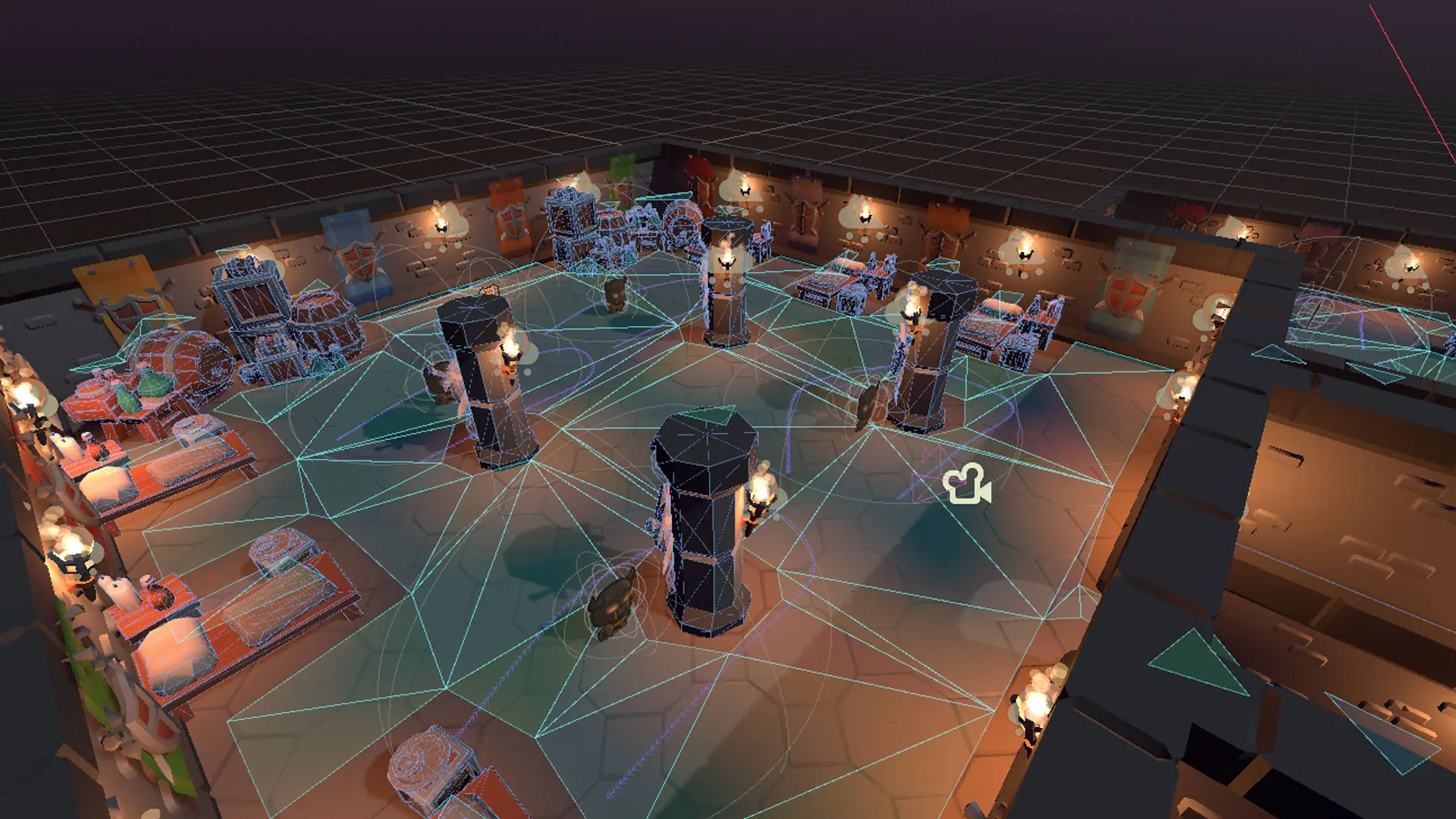
The course project is a top-down 3D dungeon RPG with a player character, enemy AI, abilities, a reward system, and a full UI flow. The player can attack (with a combo system), dash (which throws a bomb), and receive stat upgrades from treasure chests. Enemies patrol on set paths using NavigationAgent3D, chase the player when detected, and return to patrol if the player escapes.
It's a solid little game with enough complexity to actually teach the engine.
C# in Godot Feels Natural
One thing that surprised me was how well C# integrates with Godot's node system. The engine generates partial class bindings, so your scripts slot cleanly into the scene tree without any ceremony:
public abstract partial class Character : CharacterBody3D{[Export]public StatResource Health { get; set; }[Export]public StatResource Strength { get; set; }}
The [Export] attribute works on full C# properties, not just fields, which means you can add getters and setters with validation while still exposing values in the Godot editor. That was a nice surprise.
The State Machine
The most interesting architectural piece was the state machine. Instead of Godot signals, the course used a notification-based lifecycle with custom notification constants:
public class GameConstants{public const int NOTIFICATION_ENTER_STATE = 1001;public const int NOTIFICATION_EXIT_STATE = 1002;}
Each state overrides _Notification(int what) and reacts to these IDs. The state machine switches states by calling PropagateNotification before and after swapping the active node. It sounds more complex than it is — in practice it made the state lifecycle deterministic and easy to reason about.
The generic switch method is very C#-idiomatic:
public void SwitchState<T>(){Node newState = states.Where(state => state is T).FirstOrDefault();if (newState == null) return;currentState?.PropagateNotification(GameConstants.NOTIFICATION_EXIT_STATE);currentState = newState;currentState.PropagateNotification(GameConstants.NOTIFICATION_ENTER_STATE);}
The type parameter makes call sites clean: stateMachine.SwitchState<PlayerAttackState>(). LINQ, generics, lambdas — this is the kind of code that feels natural coming from a C# background.
Global Events Over Signals
For cross-system communication (e.g., a player death triggering the UI), the course used a static event bus instead of Godot signals:
public class GameEvents{public static event Action OnStartGame;public static event Action OnEndGame;public static event Action OnVictory;public static event Action<RewardResource> OnReward;public static event Action<int> OnNewEnemyCount;public static void StartGame() => OnStartGame?.Invoke();// ...}
States subscribe with += on enter and unsubscribe with -= on exit to prevent memory leaks. This is standard C# event hygiene and felt much more idiomatic than wiring up Godot signals from code.
What C# Costs You: No Web Export
Here's the part that stings. After finishing the course and feeling good about C# in Godot, I found out that the C# version of Godot 4 doesn't support web export. No WebAssembly output. Nothing you can ship to a browser.
For the GDScript version, publishing to the web is a first-class feature. You can export a game and host it on itch.io without any friction. With C#, you can target desktop and mobile, but the web is completely off the table — at least for now. There's been ongoing work to bring it back, but as of Godot 4.2 it's not there.
Sure, the dream is eventually putting something on Steam. But I'm a web developer — I know better than to go all-in on a big project before validating the idea. The smart move is to experiment first, ship small games to itch.io, and see what actually sticks before committing to something bigger. Web export is how I do that. Without it, every prototype requires a download just to share with someone, which kills the feedback loop entirely.
The Verdict
The C# experience in Godot is genuinely good. If you're coming from .NET, the language features are all there — generics, LINQ, properties, delegates, events. The engine's bindings are solid and the partial class system is clean. I enjoyed writing this codebase more than I expected.
But the missing web export is a dealbreaker for what I want to do. I'm probably going to bite the bullet and learn GDScript for any actual projects. The ego hit of learning a "non-real" language is a lot smaller than the hit of not being able to ship anything to the web.
GDScript has gotten much better in Godot 4 anyway — it's typed, the tooling is decent, and it maps directly to the engine's concepts without any impedance mismatch. I'll miss C# features when I make the switch, but I think it's the right call.