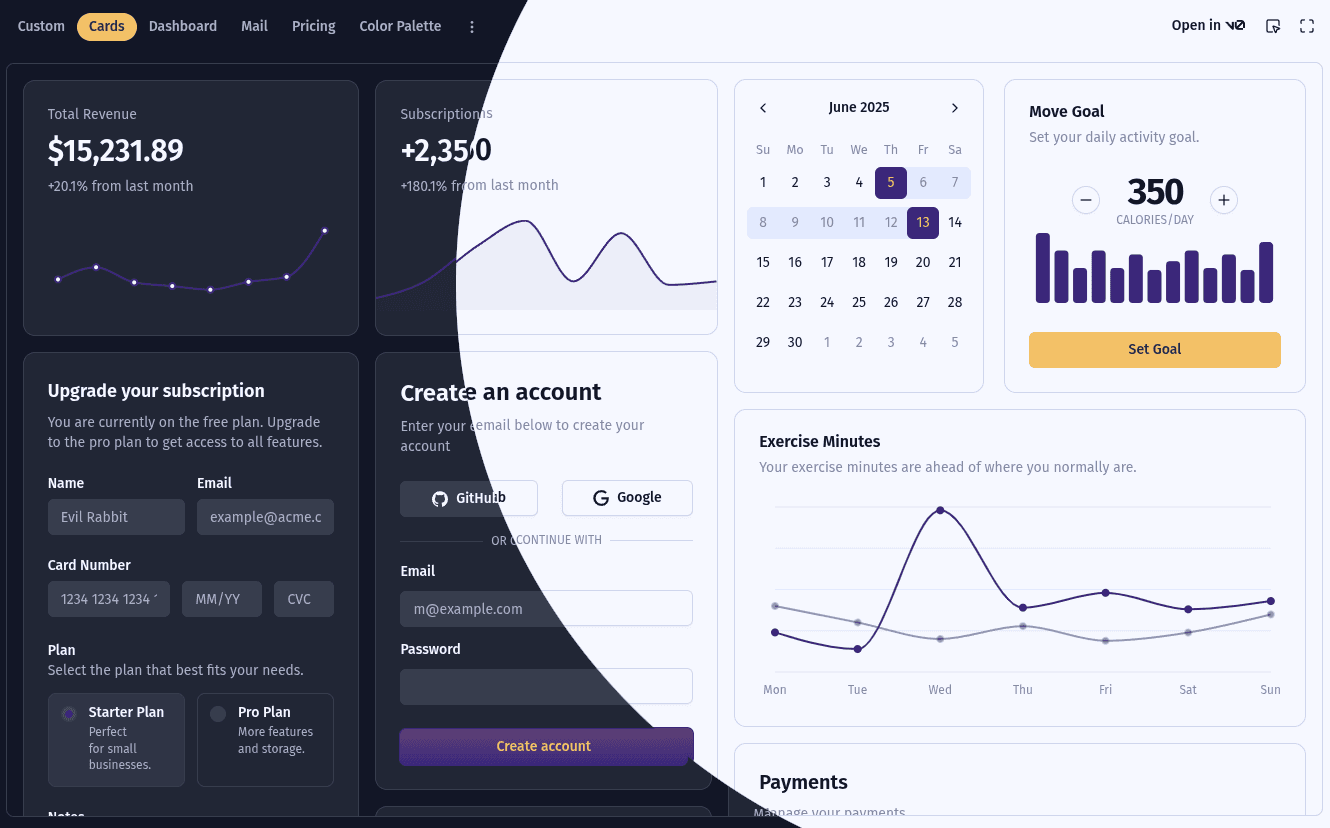
My personal site has two distinct visual personalities. The homepage and blog are intentionally always dark — deep navy background, glass-morphism cards, eldritch mesh gradients. There's no theme toggle there and I don't want one. But the registry section, which is a shadcn/ui component showcase, absolutely needs a light/dark toggle because the components themselves need to be demonstrated in both modes.
The problem was that next-themes doesn't really have a concept of "scoped" theming out of the box.
The Problem with next-themes
When you set up next-themes, you wrap your app in a ThemeProvider at the root level:
// src/providers/index.tsxexport const RootProvider = ({ children }) => {return (<ThemeProvider attribute='class' defaultTheme='system' enableSystem>{children}</ThemeProvider>);};
When the user switches themes, next-themes toggles the dark class on document.documentElement — the <html> tag. This is how Tailwind's dark: variant works: it looks for .dark on any ancestor element. Since <html> is the ancestor of everything, the theme applies globally.
My registry section uses a ThemeSwitch component that calls useTheme() from next-themes:
const ThemeSwitch = () => {const { theme, setTheme } = useTheme();// ...};
Every time someone clicked the toggle in the registry sidebar, it would flip the dark class on the whole document — including my homepage layout, navigation, and everything else. Not what I wanted.
Why Nesting Another ThemeProvider Doesn't Help
My first instinct was to nest a second ThemeProvider inside the registry layout with a different storageKey:
// This doesn't work the way you'd hope<ThemeProvider storageKey='registry-theme'><RegistryLayout /></ThemeProvider>
The useTheme() hook correctly reads from the nearest provider, so the registry's ThemeSwitch would use the registry-scoped state. But next-themes still applies the theme class to document.documentElement regardless of nesting — both providers fight over the same <html> element.
The Solution: Take Over and Restore
The approach I landed on is to create a RegistryThemeProvider that:
- Reads and stores the registry theme in
localStorageunder a separate key - Directly controls the
darkclass on<html>while you're in the registry - On unmount (navigating away from the registry), restores the global theme
Here's the full implementation:
// src/providers/registry-theme.tsx'use client';import * as React from 'react';import { useTheme } from 'next-themes';type RegistryTheme = 'light' | 'dark' | 'system';interface RegistryThemeContextValue {theme: RegistryTheme;setTheme: (theme: RegistryTheme) => void;}export const RegistryThemeContext =React.createContext<RegistryThemeContextValue | null>(null);export const useRegistryTheme = () => React.useContext(RegistryThemeContext);export const RegistryThemeProvider: React.FC<React.PropsWithChildren> = ({children,}) => {const { resolvedTheme } = useTheme();const [theme, setThemeState] = React.useState<RegistryTheme>('system');const [mounted, setMounted] = React.useState(false);// Capture latest global resolved theme in a ref so the// cleanup function doesn't close over a stale valueconst resolvedThemeRef = React.useRef(resolvedTheme);React.useEffect(() => {resolvedThemeRef.current = resolvedTheme;}, [resolvedTheme]);React.useEffect(() => {setMounted(true);const stored = localStorage.getItem('registry-theme',) as RegistryTheme | null;if (stored) setThemeState(stored);}, []);// Apply registry theme to <html> whenever it changesReact.useEffect(() => {if (!mounted) return;const systemDark = window.matchMedia('(prefers-color-scheme: dark)',).matches;const isDark = theme === 'dark' || (theme === 'system' && systemDark);document.documentElement.classList.toggle('dark', isDark);}, [theme, mounted]);// On unmount, restore the global themeReact.useEffect(() => {return () => {document.documentElement.classList.toggle('dark',resolvedThemeRef.current === 'dark',);};}, []);const setTheme = (t: RegistryTheme) => {setThemeState(t);localStorage.setItem('registry-theme', t);};return (<RegistryThemeContext.Provider value={{ theme, setTheme }}>{children}</RegistryThemeContext.Provider>);};
The key detail is the ref pattern for the cleanup. Because the unmount effect has an empty dependency array, it only runs its cleanup when the component actually unmounts. If I closed over resolvedTheme directly, I'd get a stale value. The ref always holds the latest global resolved theme, so restoring it on navigation away works correctly.
Wiring Up ThemeSwitch
Next I updated the ThemeSwitch component to prefer the registry context when it's available, falling back to the global useTheme() otherwise. This keeps the component usable outside the registry without any changes:
const ThemeSwitch = () => {const { theme: globalTheme, setTheme: globalSetTheme } = useTheme();const registryCtx = useRegistryTheme();// Use registry-scoped theme if inside RegistryThemeProvider,// otherwise fall back to the global next-themes contextconst theme = registryCtx?.theme ?? globalTheme;const setTheme = registryCtx?.setTheme ?? globalSetTheme;// ...rest of the component};
Adding the Provider to the Registry Layout
The last step is wrapping the registry layout with RegistryThemeProvider:
// src/app/registry/layout.tsximport { RegistryThemeProvider } from '@/providers/registry-theme';export default function RegistryLayout({ children }) {return (<RegistryThemeProvider><SidebarProvider><DocsSidebar /><SidebarInset>{children}</SidebarInset></SidebarProvider></RegistryThemeProvider>);}
Now when you enter /registry, the provider mounts, reads the saved registry theme from localStorage, and takes over the dark class on <html>. When you navigate back to the homepage or blog, it unmounts, fires the cleanup, and restores the global theme — the rest of the site is completely unaffected.
Why This Works with Next.js App Router
With the App Router, layouts only unmount when you navigate outside their route segment. So the RegistryThemeProvider stays mounted (and in control) for the entire time you're browsing within /registry, and unmounts exactly when you leave — which is precisely when we want to hand control back to the global provider.
It's a simple pattern, but it solves a real gap in what next-themes offers out of the box for apps that mix always-dark pages with sections that genuinely need a theme toggle.
How You Can Have Multiple Themed Sections in Your App
If your app has more than one section that needs independent theming — say, /registry for component demos, /admin for a dashboard, and /docs for documentation — you can generalize the pattern with a factory function that creates isolated providers for each section.
The key insight is that the only thing that differs between providers is the localStorage key they read from and write to. Everything else — the DOM manipulation, the cleanup logic, the context shape — is identical.
Here's a generic factory:
// src/providers/scoped-theme.tsx'use client';import * as React from 'react';import { useTheme } from 'next-themes';type ScopedTheme = 'light' | 'dark' | 'system';interface ScopedThemeContextValue {theme: ScopedTheme;setTheme: (theme: ScopedTheme) => void;}export function createScopedTheme(storageKey: string) {const Context = React.createContext<ScopedThemeContextValue | null>(null);const useContext = () => React.useContext(Context);const Provider: React.FC<React.PropsWithChildren> = ({ children }) => {const { resolvedTheme } = useTheme();const [theme, setThemeState] = React.useState<ScopedTheme>('system');const [mounted, setMounted] = React.useState(false);const resolvedThemeRef = React.useRef(resolvedTheme);React.useEffect(() => {resolvedThemeRef.current = resolvedTheme;}, [resolvedTheme]);React.useEffect(() => {setMounted(true);const stored = localStorage.getItem(storageKey) as ScopedTheme | null;if (stored) setThemeState(stored);}, []);React.useEffect(() => {if (!mounted) return;const systemDark = window.matchMedia('(prefers-color-scheme: dark)',).matches;const isDark = theme === 'dark' || (theme === 'system' && systemDark);document.documentElement.classList.toggle('dark', isDark);}, [theme, mounted]);React.useEffect(() => {return () => {document.documentElement.classList.toggle('dark',resolvedThemeRef.current === 'dark',);};}, []);const setTheme = (t: ScopedTheme) => {setThemeState(t);localStorage.setItem(storageKey, t);};return (<Context.Provider value={{ theme, setTheme }}>{children}</Context.Provider>);};return { Provider, useContext };}
Then create each scoped theme once, at the module level:
// src/providers/registry-theme.tsximport { createScopedTheme } from './scoped-theme';export const { Provider: RegistryThemeProvider, useContext: useRegistryTheme } =createScopedTheme('registry-theme');// src/providers/admin-theme.tsximport { createScopedTheme } from './scoped-theme';export const { Provider: AdminThemeProvider, useContext: useAdminTheme } =createScopedTheme('admin-theme');
Each layout just wraps with its own provider:
// src/app/registry/layout.tsxexport default function RegistryLayout({ children }) {return <RegistryThemeProvider>{children}</RegistryThemeProvider>;}// src/app/admin/layout.tsxexport default function AdminLayout({ children }) {return <AdminThemeProvider>{children}</AdminThemeProvider>;}
Because each section has its own localStorage key, their theme preferences are completely independent. A user can have the registry in light mode and the admin panel in dark mode at the same time. And because App Router layouts unmount cleanly when you navigate between top-level segments, the handoff back to the global provider always happens at the right moment.
The one thing to be aware of: only one scoped provider should be mounted at a time. If two sections' layouts overlap in the route tree simultaneously (which doesn't happen with standard App Router segment layouts), they'd fight over document.documentElement.classList. In practice this isn't an issue — each route segment's layout owns the DOM while its segment is active.