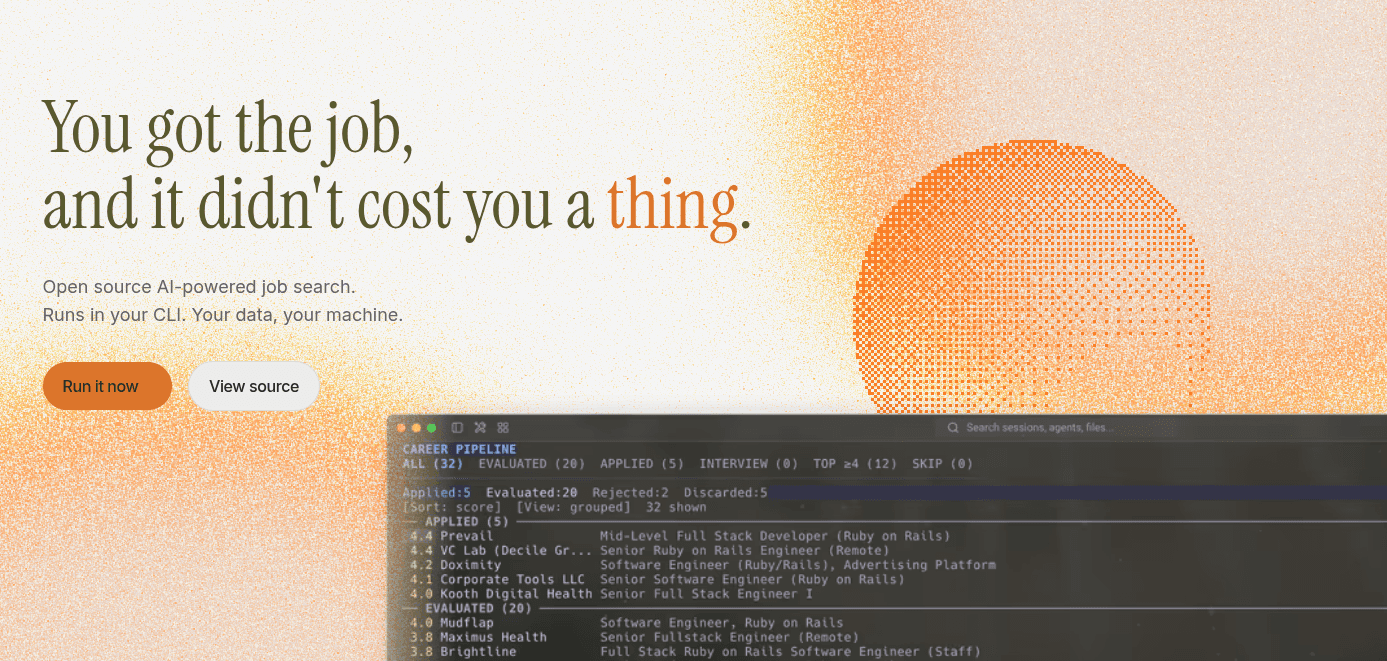
My contract ended a couple months ago and I'm once again back on the job search. I took some time to reset first, since I was feeling pretty burnt out from software dev stuff. But after that much needed break I started ramping up the search along with the usual interview prep grind. I'm not going to preach about how broken the tech interview process is or how unfair the market feels right now, those takes are beaten to death. And while I do agree, I buy into the Dark Souls idea of "it doesn't matter if you're playing on hard mode, if it's the only difficulty you have access to, you still need to play to win".
What I do want to talk about is how I've been using career-ops to supercharge the hunt. Utilizing AI is pretty much non-negotiable in tech right now, and I've been experimenting more with new tools lately; I wrote about building custom Claude Code slash commands and trying OpenCode as an alternative in a couple of recent posts. career-ops turned out to be a great fit for the job-search side of things.
I'll admit my strategy before this wasn't great: I'd shotgun applications, wing the technical rounds, and never had a real system for tracking what was in flight. career-ops fixed most of that.
What career-ops actually is
It's a multi-agent system that runs inside whatever AI coding CLI you already use (Claude Code, OpenCode, Codex, etc.) and turns it into a job search command center. Instead of a spreadsheet, you get:
- A structured evaluation for every job offer, scored across multiple dimensions
- Tailored, ATS-optimized CV PDFs generated per job description
- A portal scanner that checks Greenhouse, Ashby, Lever, and company career pages
- A single tracker as the source of truth for every application's status
Quick start is one command:
npx @santifer/career-ops init
That clones the project into ./career-ops and installs dependencies. From there you cd career-ops and open your AI CLI of choice, and it walks you through onboarding (your CV, your profile, your target roles) conversationally.
One thing worth calling out: the system has an actual philosophy baked into it, not just a feature list. The manifesto is explicit that it should never fabricate anything; every claim on a tailored resume has to trace back to something true about you. It augments how you present yourself; it doesn't invent experience or cheat the interview process for you. Nothing gets auto-submitted either. The tool prepares, you decide.
The Linux gotcha
If you're not on a Debian-based distro (I'm not), the postinstall script trips up. It runs:
npx playwright install chromium --with-deps
and --with-deps assumes apt. On my setup I had to install Playwright's Chromium dependencies manually and adjust that install script myself rather than relying on the automated step. Worth checking before you assume onboarding finished cleanly: if the scanner or PDF generation silently fails later, this is the first place to look.
Making it actually about you
After onboarding, don't skip updating the profile files. Out of the box, the template files are seeded around a fictional ML/AI specialist gunning for a role at Anthropic or OpenAI. I'm not that person, and odds are you aren't either, so it's worth going through _profile.md and swapping in your own target archetypes, narrative, and proof points before you trust any of the evaluations it spits out.
Token budget matters
Because this is a multi-agent tool reading full job descriptions and evaluating them against your CV across multiple weighted dimensions, it eats tokens fast, especially if you're running it against a paid model on a metered plan. career-ops actually ships a whole doc on running it cheaply, including a spend_tier setting (economy / standard / premium) and instructions for routing to cheaper models like DeepSeek V3 through OpenRouter. Worth reading before you run your first big batch.
My daily workflow
Here's roughly how I use it day to day:
- I scour the internet for job links I think would be a good fit.
- I run the
pipelinemode to evaluate those links against my CV. - I manually apply to the ones that score well and match my specialty.
Because scanning is the most token-heavy part, I only run the portal scan mode about once a week: it hits the same set of target companies each time, and it's unlikely those companies post new roles faster than that anyway.
The tracker and interview-prep modes are what actually keep me sane day to day. The tracker stops me from reapplying to the same position twice and keeps every application's status in one place. Interview-prep is the one I didn't expect to get so much value from: after reading through my CV, it builds a story bank of STAR-format stories I can study from. It's a little embarrassing studying my own career history like it's a textbook, but it genuinely helps when a recruiter hits me with the dreaded "so, tell me about yourself."
If you're in the middle of a job search and doing any of this manually right now, career-ops is worth a look.